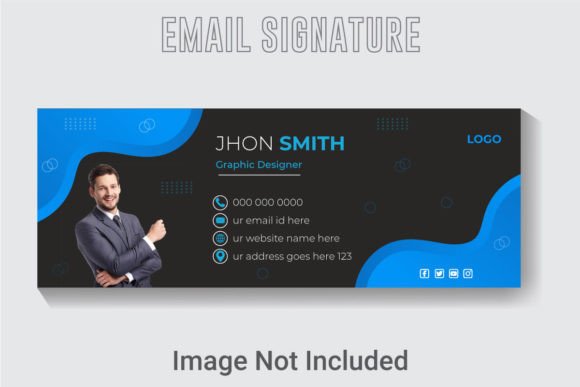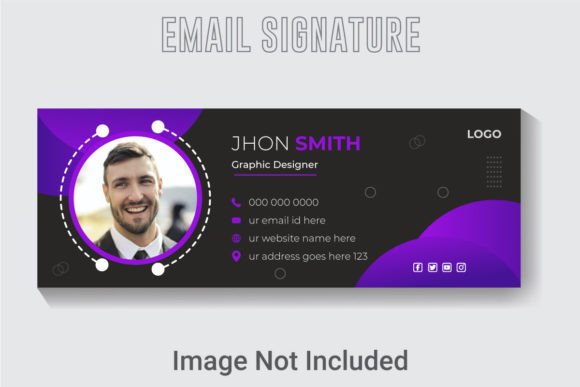
Crafting Professional Impressions with the Creative Vector Email Signature Template
An email signature is more than a block of contact information. It is a digital handshake, a brand statement, and a visual anchor that persists across every message you send. In professional correspondence, the signature often outlasts the content of the email itself, lingering in the recipient's inbox as a quiet reminder of who you are and what your organization stands for. This is why the design of an email signature demands the same level of attention as a business card or a corporate website. The Creative Vector Email Signature Template offers a refined approach to this micro-design challenge, blending aesthetic precision with practical customization. With its fully editable layers, scalable vector format, and deliberately chosen color palette, this template transforms a routine necessity into an opportunity for visual storytelling.
Understanding the Role of an Email Signature in Modern Communication
Every email you send carries subtext. The font you choose, the colors you use, and the layout of your signature all contribute to how your professionalism is perceived. A poorly designed signature—cluttered, mismatched, or non-existent—can undermine otherwise excellent communication. On the other hand, a cohesive, well-structured signature reinforces brand identity and builds trust over repeated interactions. The Creative Vector Email Signature Template is built with this principle at its core. It provides a structured yet flexible framework that allows individuals and teams to present consistent, polished signatures without requiring advanced design skills.
The template is delivered at a native resolution of 851 by 315 pixels, a dimension that strikes a balance between visual impact and inbox real estate. This size ensures the signature is large enough to be legible and memorable, yet compact enough to avoid overwhelming the message body. When viewed across devices—from desktop monitors to mobile screens—this dimension maintains readability without forcing the recipient to scroll past an oversized graphic to reach the email content.
The Technical Foundation: Resolution, Color, and Scalability
One of the standout aspects of this template is its 300 DPI resolution. While email signatures are typically displayed on screens at 72 or 96 DPI, designing at 300 DPI provides a crucial advantage: it guarantees crisp output if the signature is ever printed—on a proposal, an invoice, or a presentation handout. Many professionals overlook this detail until they need to produce physical collateral that includes their email signature. By starting with a 300 DPI file, you future-proof your design against both digital and print use cases.
The template uses an RGB color design, which is the native color space for all digital displays. RGB offers a wider gamut of vibrant colors compared to CMYK, allowing the signature to appear rich and true across monitors, tablets, and smartphones. The colors in this template are not arbitrary; they are carefully selected to create contrast, hierarchy, and visual harmony. The vector-based structure means that every hue, gradient, and shade remains editable, so you can adjust the palette to match your existing brand guidelines without losing quality.
A vector design is fundamentally different from a raster image. Unlike a JPEG or PNG, which are composed of fixed pixels, a vector file stores shapes, lines, and fills as mathematical formulas. This means the graphic can be scaled up or down indefinitely without becoming pixelated. The Creative Vector Email Signature Template leverages this property to deliver a design that remains sharp whether embedded in an email client, displayed on a 4K monitor, or reduced for a mobile preview. This scalability is especially valuable for organizations that need a single signature asset that works across a variety of platforms and devices.
Exploring the Features Design: What Makes This Template Stand Out
The features design of this template is organized around usability and visual balance. Every element—the logo area, the name and title, the contact details, and any social media icons—is placed within a well-layered hierarchy. The layers are clearly named and structured, allowing you to show or hide components as needed. For example, you might want to include a phone number for internal communications but omit it for external-facing signatures. With a fully layered file, you can make these adjustments in seconds rather than rebuilding the design from scratch.
The AI text, fonts, and colors are all fully editable. This means you are not locked into a specific typeface. You can replace the placeholder text with your real information, choose a font that aligns with your brand typography, and tweak the color values until they match your exact specifications. The template uses free fonts, which removes licensing concerns and makes the design accessible to anyone, regardless of budget. Because the text remains editable vector text rather than outlined paths, you can also adjust kerning, leading, and alignment without losing quality.
Another notable feature is the inclusion of three file formats: an AI file, an EPS file, and a JPG. Each format serves a distinct purpose. The AI file is designed for use in Adobe Illustrator, allowing full access to all layers, effects, and editing capabilities. The EPS file is a widely compatible vector format that can be opened in many design applications, including older versions of Illustrator, CorelDRAW, and even some open-source tools. The JPG provides a ready-to-use raster version for quick deployment or testing. This trio of formats ensures that the template can be used across different workflows and skill levels without requiring a specific software version.
Workflow and Customization: From Template to Personalized Signature
Working with the Creative Vector Email Signature Template is straightforward, even for those who have limited experience with vector editing. The last version used in its creation is Adobe Illustrator CC, which remains the industry standard for vector design. However, the EPS file provides a fallback for users who may be working with an older version of Illustrator or a different application altogether.
The typical workflow begins by opening the AI or EPS file in your preferred vector editor. You will see the name, title, company, phone, email, website, and social media handles pre-filled as placeholder text. You can click directly on each text element and type over it. Because the fonts are included as free fonts, you may need to install them on your system if they are not already present. Alternatively, you can replace the font with one of your own choosing. The same applies to colors: select any element and adjust its fill or stroke color using the color picker. The RGB values can be matched to your brand palette with precision.
Once you have customized the text and colors, you can export the signature as a PNG or JPG for embedding in your email client. Many modern email platforms, including Gmail, Outlook, and Apple Mail, allow you to insert an image-based signature. However, for more advanced setups, you can also export individual elements as separate files and reassemble them using HTML in your email client's signature editor. This hybrid approach gives you the best of both worlds: the visual polish of a designed template and the clickable functionality of text-based links.
Practical Applications Across Different User Profiles
Professionals across industries can benefit from this template, but the way they use it will vary based on their specific needs. For a business owner, the signature serves as a consistent brand touchpoint across all outgoing communications. Every email becomes a miniature advertisement for the company, reinforcing the logo, tagline, and contact information. The vector format ensures that the logo remains crisp, which is especially important for small businesses that may not have a dedicated design team.
For creators and freelancers, the signature is an extension of their personal brand. A photographer, writer, or consultant can use the template to present a cohesive identity that links their portfolio, social media profiles, and contact details in one compact area. The editable fonts and colors allow them to match the signature to their website or portfolio without needing to learn advanced coding.
Educators and researchers often communicate with a wide range of recipients, from students and colleagues to funding bodies and publishers. A professional email signature conveys credibility and attention to detail. The layered structure of this template makes it easy to include multiple affiliations, email addresses, or links to research profiles like ORCID or Google Scholar, without cluttering the design.
Hobbyists and enthusiasts who run clubs, community groups, or volunteer organizations can also use this template to give their communications a more organized and professional feel. Even if the group has no official brand guidelines, the template provides a pre-designed framework that elevates the overall presentation.
Considerations for Deployment and Maintenance
While the Creative Vector Email Signature Template is designed for ease of use, there are a few considerations to keep in mind when deploying it across an organization. If you are implementing signatures for an entire team, consistency is key. Establish a central version of the template with approved fonts, colors, and logo placement. Then distribute the file to team members along with brief instructions on how to replace the placeholder text with their own information.
Be mindful of file size. The vector files themselves are lightweight, but when you export the signature as a raster image for use in email, keep the file size under 100 KB if possible. Larger images may be blocked by some email clients or take too long to load on slower connections. The 851 by 315 pixel dimension helps keep file sizes manageable while maintaining visual clarity.
Another practical consideration is compatibility. Some email clients, particularly in corporate environments, strip images from signatures or display them as attachments. To mitigate this, you can embed the signature image using a hosted URL rather than attaching it directly. Upload the final PNG or JPG to your web server or a reliable image hosting service, and insert the URL into your email client's signature settings. This method also makes it easier to update signatures centrally down the line.
The Value of a Well-Layered Organized AI File
The phrase "well layered organized" might sound like technical jargon, but it has real implications for anyone who needs to edit the template. A well-layered file means that each component—background, shapes, text, icons—is on its own separate layer with a descriptive name. You can lock layers you do not want to change, hide layers temporarily to focus on one element, and reorder layers to adjust the visual stacking. This organization saves time and reduces the risk of accidentally moving or deleting something important.
In the context of this template, the layering also facilitates collaboration. A graphic designer can prepare a base version of the signature with the logo and background elements locked, then pass the file to a team member who only needs to edit the text. Because the layers are logically named and grouped, even someone with minimal Illustrator experience can navigate the file without confusion. This accessibility is one of the primary reasons why vector templates are preferred over static designs for business assets.
Choosing the Right File Format for Your Needs
The inclusion of three file formats—AI, EPS, and JPG—gives you flexibility depending on your workflow. If you are working exclusively with modern Adobe software, the AI file is your best choice. It preserves all editing capabilities, including effects, transparency, and layer structure. The EPS file is a good alternative if you need to share the template with someone who uses a different application or an older version of Illustrator. The JPG serves as a ready-to-use reference or a quick solution if you need a signature immediately and plan to refine it later.
For most users, the recommended approach is to start with the AI file for initial customization, export a PNG with transparency for use in email, and keep the original AI file as a master copy for future updates. This workflow ensures that you can always go back and make changes without having to recreate the design from scratch.
The Creative Vector Email Signature Template ultimately represents a convergence of design thinking and practical utility. It acknowledges that an email signature is not an afterthought but a deliberate component of professional communication. By providing a high-resolution, fully editable, vector-based solution in multiple formats, it empowers users to present themselves consistently and compellingly, one email at a time. Whether you are a solo entrepreneur establishing your first brand presence or a department lead seeking uniformity across a team, a well-crafted email signature is a small investment that pays dividends in perception and trust.